Few pest situations are more unsettling than noticing cockroaches crawling behind the digital clock display of your microwave or scurrying out of the control panel when you push a button. Appliances provide the perfect nesting spots: they offer constant warmth from control transformers, dark concealment behind plastic panels, and instant access to cooking grease and food crumbs. Finding the harborage is half the job — our guide to finding a roach nest in 48 hours shows exactly where to look first.
The Hazard of Spraying Liquid Pesticides on Circuit Boards
When dealing with roaches nesting inside appliance electronics, never spray liquid insecticides, aerosol bug sprays, or water-based repellents into the panel gaps. Liquid sprays are highly conductive and can immediately short-circuit your microwave control board, ruining the appliance and creating a serious fire hazard. Furthermore, spraying volatile chemical solvents near food preparation surfaces carries major chemical contamination risks.
Why Sticky Gel Baits Fail Inside Electronics
Squeezing wet gel baits directly onto circuit boards is also problematic. As the microwave heats up during use, gel baits can run, potentially gumming up keypad membranes or dripping onto high-voltage components. Additionally, the constant heat inside electronics causes wet gels to completely dry out and harden in a matter of days, making the bait unappetizing and ineffective.
Safe, Dry, Non-Conductive Extermination
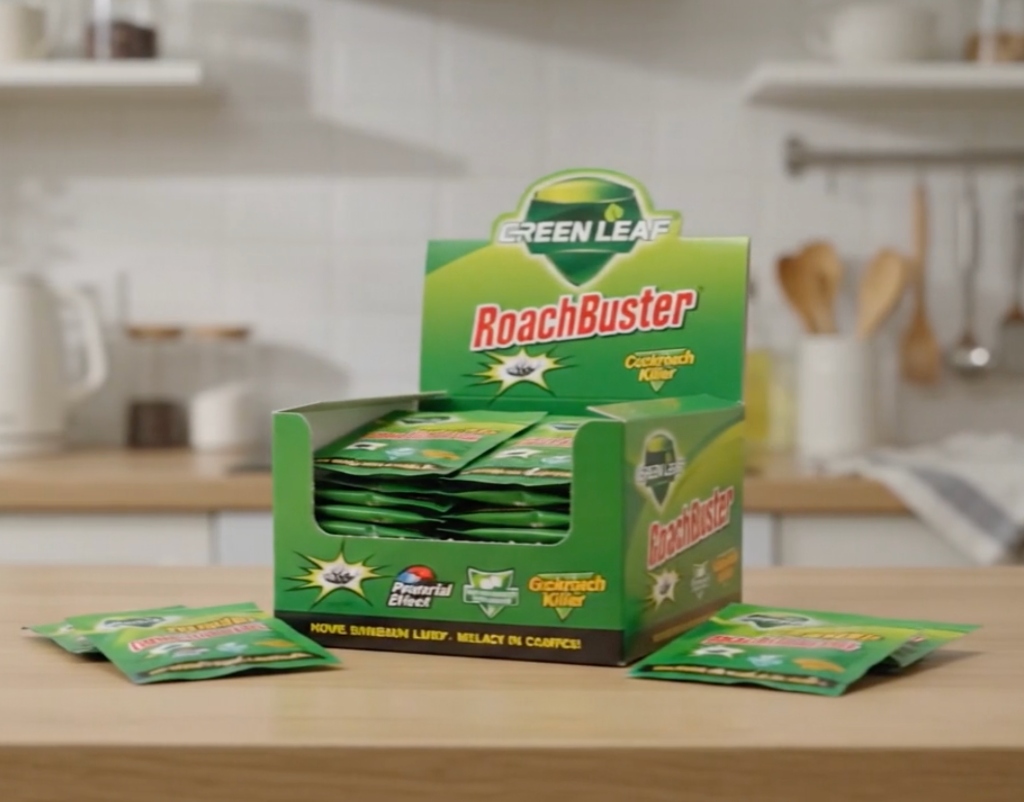
To clear cockroaches from microwave control panels safely, you must use a dry, non-conductive, self-contained baiting system. Placing dry powder sachets next to the appliance is the ultimate solution. GreenLeaf RoachBuster uses odorless, dry active powder enclosed inside paper sachets. Simply slip one sachet in the narrow cabinet gap directly beside the microwave, or under the counter underneath it.
The insects are drawn out of the electronics by the sachet’s food attractants, consume the bait, and carry particles back to the nesting center inside the microwave casing, destroying the colony without messy residues or electrical damage.
Next steps: how many sachets a full round actually takes, how to tell whether a treatment is working, and why roaches come back after treatment.
Electronics are a different problem from appliances
A fridge or a washing machine can be pulled out, opened at the back and vacuumed. Consumer electronics cannot. A television, a games console, a router, a set-top box, a desktop computer and a soundbar are sealed plastic enclosures with narrow ventilation grilles, low-voltage boards, and warranty seals that void if you open them. They also run warm continuously, sit undisturbed for years, and are usually positioned against a wall in a media unit with poor airflow. That combination makes them attractive harbourage and simultaneously restricts almost every treatment option.
So the approach has to change. With electronics you are not treating the inside of the device. You are making the outside of the device unattractive and intercepting traffic around it, and you are being careful not to destroy an expensive item in the process.
What is genuinely unsafe to do
- Never spray anything into a vent. Aerosol propellant and residue on a board can cause corrosion, tracking and short circuits, and the damage may not appear for weeks.
- Never use compressed air aggressively into an enclosure. It drives debris and insects deeper and can damage fan bearings.
- Never use a liquid cleaner near a grille. Capillary action pulls liquid inside.
- Never open a sealed power supply or a television panel. Some components store dangerous charge even when unplugged.
- Never place bait through a vent or inside a case. Material inside an enclosure can obstruct airflow, contact a board or be drawn into a fan.
- Never use a household vacuum nozzle directly on a circuit board. Static discharge risk, and the nozzle can break components.
What to do instead
- Power down and unplug. Let the device cool completely.
- Move it out and inspect the surroundings. The wall behind, the shelf beneath and the cable bundle are where the droppings and egg cases will be, far more than inside the case.
- Vacuum the surroundings, not the device. Shelf, wall junction, cable tray and floor beneath, with a crevice tool.
- Wipe the exterior with a dry microfibre cloth. Grilles can be brushed gently with a soft dry brush.
- Improve the airflow and the position. Raise the device on feet or a stand, pull it fifty millimetres off the wall, and stop enclosing it in a closed cabinet. Cooler and better ventilated is less attractive.
- Untangle and lift the cable bundle. A dense nest of cables on a shelf is harbourage in itself. Cable ties and a raised tray remove it.
- Place bait around, never inside. One sachet at the rear corner of the shelf behind the device, one in the media unit floor corner, one at the wall junction. Keep them out of the airflow path.
- If you suspect an established population inside a device, use a technician. Professional service can open, clean and reassemble the unit safely, which is the only proper route for a sealed enclosure.
Placement plan for a media wall or desk
| Position | Placement | Note |
|---|---|---|
| Media unit floor corners | 2 | Rear corners, out of sight |
| Shelf rear corner behind each device | 1 per shelf | Clear of vents and airflow |
| Cable tray or trunking corner | 1 | Not inside the trunking |
| Wall junction behind the unit | 1 to 2 | Along the skirting line |
| Desk floor corners under a computer | 2 | Rear corners |
| Router or modem shelf rear | 1 | Never on top of the device |
| Behind a wall-mounted television | 1 | On the bracket shelf or wall junction below, if safe to reach |
Why electronics get chosen in the first place
Three reasons, all fixable. Continuous low-level heat, because standby and idle modes still dissipate power. Total absence of disturbance, because nobody moves a router for years. And food and moisture nearby, because media units live in living rooms where people eat, and desks accumulate crumbs. Removing the food, moving the device off the wall, improving airflow and vacuuming the surroundings monthly changes the microclimate enough that the location stops being attractive. Interception around the device handles the rest. If activity persists across multiple rooms, the population is elsewhere and the electronics are a symptom; our coverage arithmetic guide will help you plan a whole-home round.
Questions people ask
Can insects actually damage electronics?
Yes, though it is not the most common outcome. Droppings and bodies can bridge contacts, block airflow and cause corrosion over time. Fouled cooling is the usual practical effect.
Will opening the device void my warranty?
Usually yes. That is a strong argument for using a service technician rather than attempting it yourself.
Is a fogger safe around electronics?
No. A fogger deposits residue on every surface including circuit boards and connectors, and it does not reach inside enclosures effectively either. Our method comparison explains why.
How long should I keep placements around a media unit?
Keep them in place permanently as prevention, replacing on your monthly clean. Electronics are a recurring target and a maintained placement is cheap insurance, as our recurrence guide explains.
The short version
Do not spray, blow, wash or open electronics. Power down, move the device out, vacuum the surroundings, brush grilles dry, raise the unit off the wall for airflow, tidy the cable bundle, and place dry sachets around the shelf and floor rather than inside the case. Use a technician for anything sealed. One box covers a media wall, a desk and the rest of the home, with a 30-day money-back guarantee.
Always use any bait product as directed on its label, and keep placements out of reach of children and pets. Isolate power before working near electronics, never introduce liquid or aerosol into an enclosure, and use a qualified technician for anything sealed or under warranty.
Treating an active infestation? One box treats one room, once. The 3-Box Kit — $120 (150 sachets, save $59.97) covers a full apartment through the complete 3-4 week treatment cycle; a $47 single box (50 sachets) covers a single-room problem. Ships within 1 business day, typical delivery 6-10 days · Free tracked shipping · 30-day money-back guarantee.
Choose your kit →